AssetBench Cloud API · Checks are free
Game and app assets, ready for mobile.
Send a 3D model or an app icon, get back files ready for your game engine or the app stores. Lighter models for Unity, Unreal, Godot, Roblox and the web, and every app icon and screenshot size, in one request. Nothing to install.
How it works
An API is a way for one program to ask another to do a job. You send a file, AssetBench does the work in the cloud, and you get the finished files back, usually in a few seconds.
A real model, one request
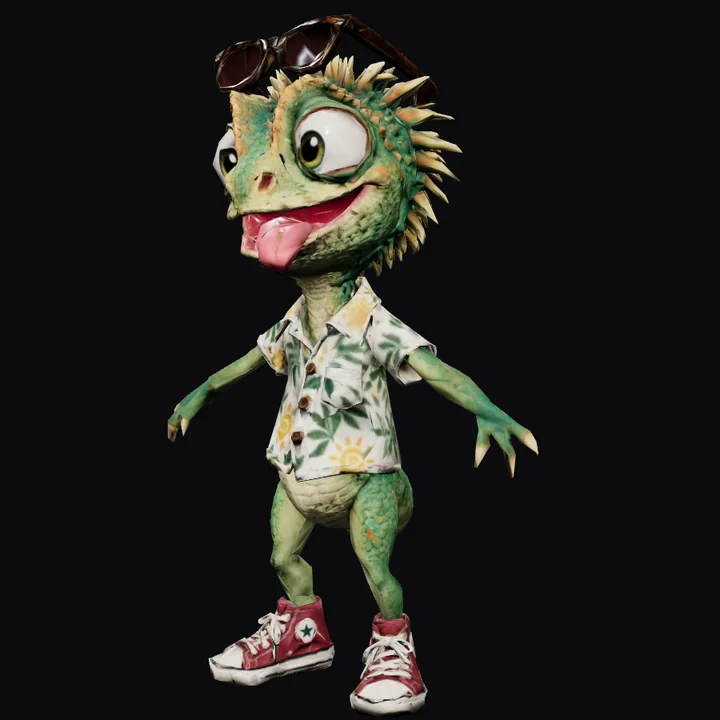
A rigged cartoon character (sunny-gecko.glb, 14.2 MB) sent to /api/v1/game-ready as a character for a mid-range phone in Unity. Drag the slider: it looks the same, with a quarter of the triangles.
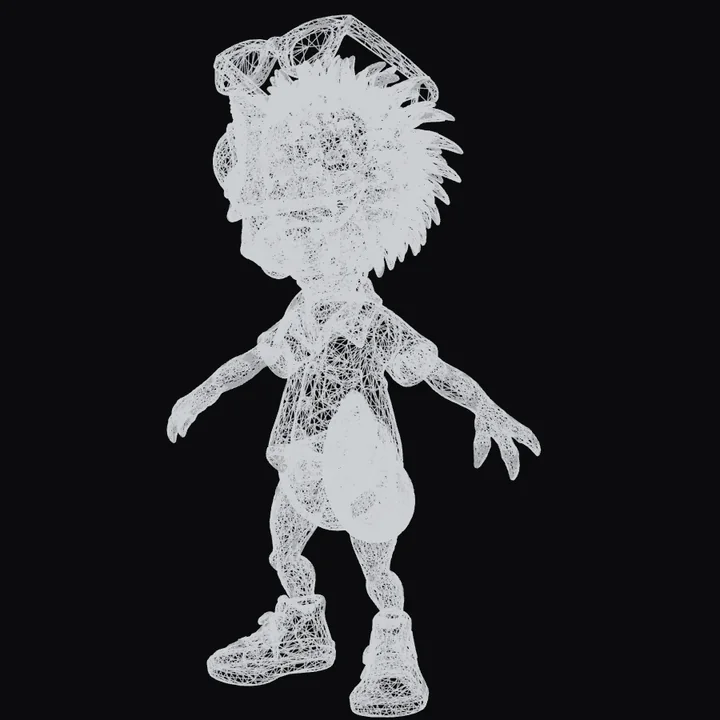
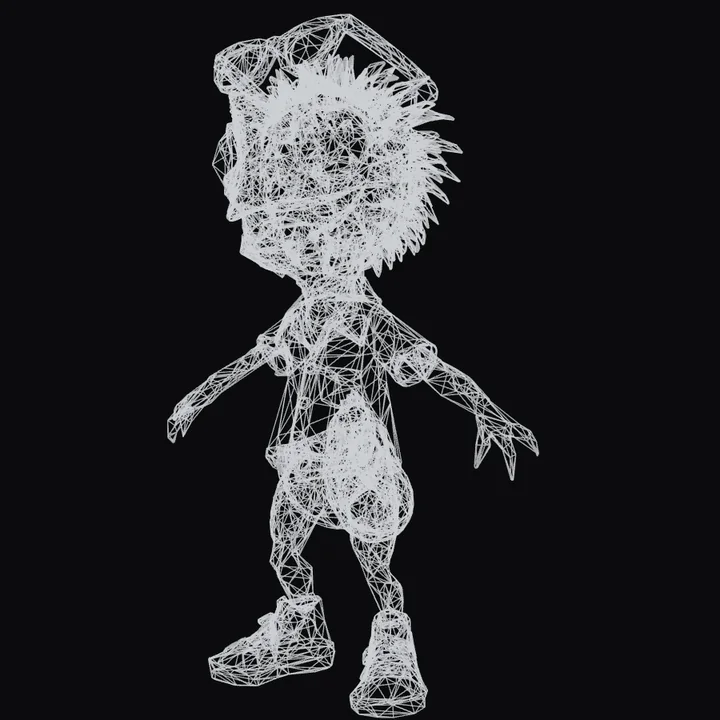 BeforeAfter
curl -X POST https://www.assetbench.co.uk/api/v1/game-ready \
  -H "Authorization: Bearer YOUR_KEY" \
  -F "file=@sunny-gecko.glb" -F "role=character" \
  -F "device=mid" -F "engine=unity" -o pack.zip
Add ktx2=true and it drops to 2.1 MB with 4 MB of texture memory, scoring mobile-ready on a mid-range phone, at some cost to texture sharpness.
What it does
Every plan includes all three. Click a card to try it below.
Loading…
Works with
The API sends back standard files, so they open in the programs you already use. Game-ready packs include step-by-step import notes for the engine you pick.
Game engines and 3D
Apps and stores
Do I need to install anything?
No. The API runs on our servers. Pick whichever way suits you; all three use the same free key.
Use this page
Get a free key below, drop your file into the playground, press Run and download the result. Good for trying it out.
Get a free key ↓From a terminal
Windows, Mac and Linux already have curl. Paste one line, get the file back:
curl -X POST https://www.assetbench.co.uk/api/v1/game-ready -H "Authorization: Bearer YOUR_KEY" -F "file=@model.glb" -o pack.zip
From your code or build
Call it from a Unity editor script (C#), Python, Node.js or your CI, so every model is checked and optimised automatically. Copy-paste samples are below.
See the code ↓Prefer clicking to coding? The same tools are on assetbench.co.uk as normal web pages, included with All Access.
Pricing
Start free. The API comes included with the £25/month All Access subscription, and studios that need 5,000 operations a month move to Studio. One operation = one processed file (a game-ready pack, icon pack or screenshot set counts once; a batch counts each file). Checks are always free.
Loading…
After subscribing, Lemon Squeezy emails you a licence key: use it as your API key. All Access subscribers use the same key for the website tools and the API. Manage or cancel any time from your Lemon Squeezy receipt.
Need more than 5,000 operations a month? Email Workbench5@gmail.com, and tell us what you're building.
Try it · 1. Get your API key
Send it as Authorization: Bearer <key>. It is kept in this browser only so the playground and code samples can use it.
All Access subscriber? Your All Access licence key is already your API key: paste it above. Free keys: one per network. Lost one? Click Get a free API key again from the same network: you get a new key, the old one stops working, and this month’s usage carries over.
Try it · 2. Send a file
Runs real requests with your key, so they count against your quota (checks are free).
.glb · or .fbx / .obj / .gltf / .zip to convert · up to 25 MB free, 50 MB All Access, 100 MB Studio
PNG, JPEG or WebP · Icons: a square master, ideally 1024 × 1024 · Screenshots: up to 10 at once
Up to 50 files · 40 MB per request free, 100 MB on paid plans
Batch uses the options set on the other two tabs (device, engine, target, sizes…). Each file is charged as one operation, and one bad file never stops the rest: manifest.json lists every outcome.
Try it · 3. Copy the code
Follows the playground settings above.
Questions
What is an API, in plain English?
A way for programs to talk to each other. Instead of opening a website and clicking, your script (or this page) sends a file to an address like /api/v1/game-ready and gets the finished files back. The key is like a password that says the request is yours.
Do you keep my files?
No. Each file is processed in memory and sent straight back; nothing is saved on our side. We only count how many operations each key has used.
Which files can I send?
3D: GLB, glTF, OBJ and FBX (FBX and OBJ are converted to GLB first), including models with WebP textures. Images: PNG, JPEG and WebP. Up to 25 MB per file on Free, 50 MB on All Access and 100 MB on Studio. Draco-compressed GLBs can be checked but not processed yet.
What counts as an operation?
One processed file. A game-ready pack, an icon set or a set of screenshots each count once, however many files come back. Checks are free and never count.
I already pay for All Access. Do I need anything else?
No. Your All Access licence key is also your API key, with 1,000 operations a month. Paste it into the key box below.
What happens if I run out?
Requests return a clear "quota used up" message until the month resets. Nothing is charged automatically; you can move to Studio for 5,000 a month.
Reference
Send files as multipart/form-data (field file, options as fields) or as the raw body with options in the query string. Responses are the file itself, with a JSON summary in the X-AssetBench-Summary header and your quota in X-Quota-Remaining. Add ?output=json to get the full report with the file base64-encoded.
| Endpoint | Options | Returns |
|---|---|---|
| 1 · Check a model (free) | ||
POST /api/v1/check | role prop|vehicle|character|hero|environment · device low|mid|high|quest · engine unity|unreal|godot|roblox|web | JSON: size, triangles, draw calls, materials, texture memory, animation data, scored checks, and a score per device class. resolved and notes show the settings used. Scores 90+ are mobile-ready, 60–89 need work, under 60 are not ready. Free. |
| 2 · Make it game-ready | ||
POST /api/v1/game-ready | device low|mid|high|quest · role prop|vehicle|character|hero|environment · engine unity|unreal|godot|roblox|web · pivot bottom|center|keep · lods · collision · keepAnimations · ktx2 | ZIP: name_LOD0/1/2.glb, name_collision.glb, REPORT.txt, IMPORT-ENGINE.md, report.json. |
| 3 · App store assets | ||
POST /api/v1/app-assets | platforms ios,android,watchos (default: all three) · background · adaptiveScale | ZIP: AppIcon.appiconset + Contents.json, Android mipmaps + adaptive icons, Play Store 512. |
POST /api/v1/app-assets/screenshots | 1–10 images (or a ZIP) · devices iphone-6.9,iphone-6.5,iphone-5.5,ipad-13,ipad-12.9,android-phone,android-tablet · fit cover|contain · background · format jpeg|png | ZIP: one folder per device, sized exactly, opaque. |
| Many files at once | ||
POST /api/v1/batch | operation (check, game-ready, app-assets or any advanced step) + that operation's options · files as several files fields or one ZIP | ZIP: results/<file>/… + manifest.json (JSON for audit). Up to 50 files per request. |
| Advanced: single steps | ||
POST /api/v1/3d/optimize | target (plain English ok) · ratio 0–1 · maxTextureSize · compress · lockBorder · ktx2 | Optimised .glb; with output=json, a before/after report. |
POST /api/v1/3d/reduce | ratio 0–1 (default 0.5) or triangles (target count, wins over ratio) · lockBorder · error 0–1 (quality cap; default loosens up to 0.1 as needed to hit the target) · acrossSeams auto|true|false (collapse across UV seams when a model won't reduce otherwise; auto = untextured models only, since it stretches textures) | Reduced .glb, geometry only (textures and compression untouched); with output=json, triangle counts before/after. Free. |
POST /api/v1/3d/lods | preset standard|aggressive|minimal or levels "1,0.5,0.25" · compress | ZIP: lod0.glb… + report.json. |
POST /api/v1/3d/convert | to glb|gltf|obj · scale | FBX / OBJ / glTF → GLB; GLB → glTF or OBJ (ZIPs). Send a ZIP when textures sit next to the model. FBX output is not offered. |
POST /api/v1/textures/ktx2 | PNG/JPEG/WebP: mode etc1s|uastc · normalMap · linear · mipmaps · maxSize. GLB: mode auto (ETC1S colour, UASTC normals) | .ktx2, or a GLB with KHR_texture_basisu textures. |
POST /api/v1/ios/xcassets | as app-icons, iOS by default | ZIP with the Xcode asset catalog. |
| Also | ||
POST /api/v1/textures/resize | maxSize · powerOfTwo · format png|jpeg|webp · quality · lossless | Resized image. |
GET /api/v1/auth/me · /pricing · /devices · /formats · /intent?target=… | Quota; plans and products; device budgets; formats and sizes; how a plain-English target compiles. | |
Older paths still work: /3d/audit, /3d/inspect, /3d/game-ready, /ios/app-icons, /ios/screenshots, /2d/…. | ||
Errors
Errors are JSON: {"error":{"code":"quota_exhausted","message":"…"}}. Status codes: 400 bad option · 401 missing/invalid key · 403 engine not in plan · 413 file too large · 415 wrong file type (Draco-compressed GLBs can be audited but not processed yet) · 422 unreadable file · 429 quota used up.